Airport fuel hydrant systems

Hydraulic analysis and design for airport fuel hydrant systems

flownet takes your hydrant layout from DXF to a graded 3D model, runs steady-state and transient (surge) analysis for Jet A-1, and issues a report checked against ASME B31.4, EI 1540 and JIG 2.

Steady stateSurge3D & gradingDesignReports
flownet · 3D presentation view · demonstration airport
● PASSHP-105 · 9.42 bar gFarthest pit, meets the required pressure
How it works

From layout to issued report in five steps

  1. Import the layout

    DXF layout and bays, levels sheet and topographic survey.

  2. Build and grade

    flownet builds the 3D model as drawn and grades the loop.

  3. Validate

    Every missing input listed, each with a Fix and a Go to.

  4. Run steady and surge

    Demand cases, loop-down cases and surge events.

  5. Issue the report

    PDF, Word and Excel, citing the standards used.

Transient & surge

Know what a valve closure does before it happens

Close a pit valve over 2 seconds or the ESD valves over 30, trip a pump, slam a check valve. flownet follows the pressure wave round the loop and plots it at the pits you watch.

  • Envelope on every pipe: highest and lowest pressure checked against the surge allowance of ASME B31.4.
  • Cavities found: pressure falling to the vapour line is shown on the graph and the long section.
  • Fixes proven: slower closure, larger bore, surge vessel or relief valve, each re-run.
Surge analysis

Surge at two hydrant pits after a pit valve closes over 2 seconds: pressure in bar g against time in seconds, with the allowable surge pressure and the vapour line04812162024048121620TIME, sPRESSURE, bar gAllowable surge pressureVapour lineCLOSUREPeak 13.3 bar g at 4.0 sHP-105 (farthest pit)HP-101
Pressure at two pits after a pit valve closes over 2 s · illustration
Grading & long sections

A loop with no trapped air and no low pockets

A rising pipe may stop only at a high point vent, a falling one only at a low point drain. flownet grades the loop to your aimed slope, keeps twin feeders level with each other and shows the result in long section.

  • Minimum cover checked along every pipe, as the applicable standards require.
  • HPV and LPD placed on a flat length and dragged along the pipe if you want them elsewhere.
  • Surge envelope drawn on the long section, with cavities marked.

3D modelling & grading

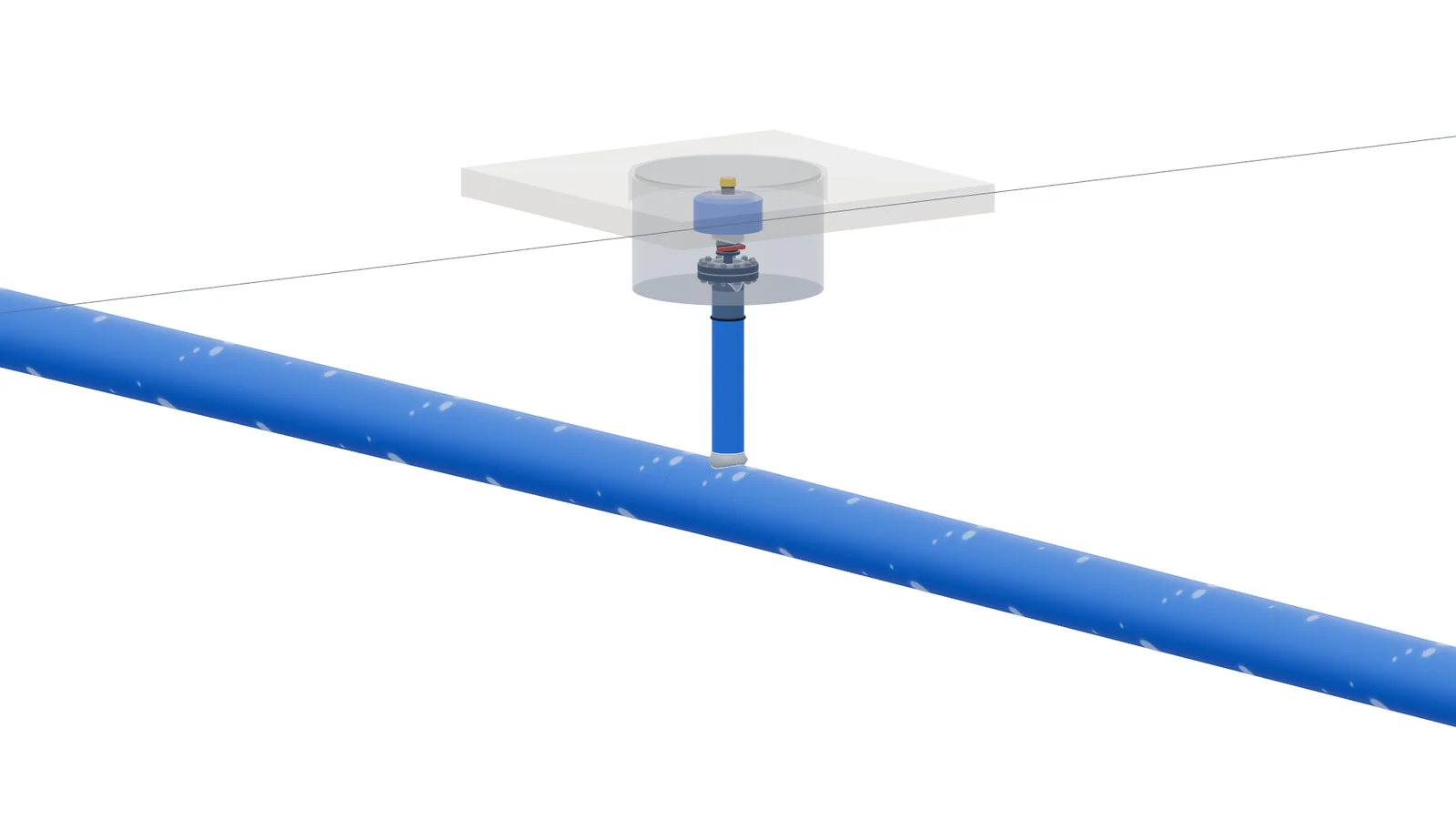
flownet presentation view: fuel flowing along a feeder under a high point vent, with the vent assembly in its pit box
A high point vent: the vent assembly in its pit box above the feeder, fuel flowing through the header · flownet presentation view
Why engineers choose flownet

Made for the apron, not adapted to it

Built as drawn

Your 2D drawing becomes a 3D model without being redrawn or tidied. Open ends and drawing errors are flagged for you to decide.

Grading in one pass

Set an aimed slope and the loop is graded with high point vents and low point drains where the profile turns. Cover and slope are checked against the applicable standards.

Validate before you calculate

One button lists everything a run needs. Each item says what is wrong, how to fix it, and takes you there.

Surge with the answer

When a case fails, flownet tries a slower closure, a larger bore, a surge vessel or a relief valve and re-runs each to prove it.

The farthest pit, found

Each case finds the hydraulically farthest pit, including when a loop is closed, and checks it against the required pressure.

Aircraft on the apron

The refuelling study parks each aircraft on its stop bar and checks the hydrant pit is within hose reach of the fuel coupling.

3D, video and BIM

Typicals at every pit, vent and drain, valve chambers, result replay and video tours, and IFC 4 export.

Your model stays with you

flownet runs on your Windows computer. Models never leave your building, and it works offline.

Jet A-1 · JP-8Fuel properties built in, with temperature
ASME B31.4 · B31.3Pressure design, wall and surge allowance checked to the project's code
EI · JIG · NFPAVelocity, cover and hydrant rules checked to the aviation fuel standards
PDF · Word · ExcelThe issued report, ready for submission
Standards

Checked against the codes your reviewer uses

Every check names its clause in the report. See the standards flownet works to.

ASME B31.4ASME B31.3EI 1540EI 1585EI 1594EI 1584JIG 2NFPA 77API 610ANSI/HI 9.6.1API 650API 520
Modules

Start with analysis, grow into design

M1

Hydraulic analysis

Manual modeller

Draw the network by hand and run steady-state and surge analysis, with the full report.

M2

Hydraulic analysis

With DXF import

Everything in M1, plus DXF layout and survey import, sizing and BIM export.

Annual or half-yearly licences, one signed licence file per computer, updates included. How licensing works · Pricing on request.

A fuel storage depot from above at night: round tanks, pipe racks and roads between them
In development

Fuel farm design

The next module brings the fuel farm into the same model: tanks, pumps and filtration feeding the hydrant network, analysed and designed in one place.

Ask to hear when it is ready

Questions

Common questions

What is flownet?

flownet is hydraulic analysis and design software for airport fuel hydrant systems. It models the network from the fuel farm pumps to every hydrant pit, runs steady-state and transient (surge) analysis, grades the pipework in 3D, and issues the report in PDF, Word and Excel.

What is surge analysis in a hydrant system?

Surge, or water hammer, is the pressure wave that follows a quick change of flow, such as a pit valve or an emergency shut-down (ESD) valve closing, or a pump tripping. Surge analysis finds the highest and lowest pressure that wave causes along every pipe, so the design can be checked against its allowable pressure and against cavitation.

Which standards does flownet check against?

The pipeline code you choose for the project (ASME B31.4 or ASME B31.3) and the aviation fuel standards, including EI 1540, EI 1585, EI 1594 and JIG 2. Pumps follow API 610 and ANSI/HI 9.6.1. Each check names its clause in the report.

Can I import my AutoCAD layout?

Yes, with module M2 or M3. flownet imports the DXF layout and bays, a levels sheet and a topographic survey, and builds the 3D model exactly as drawn. Open ends and drawing errors are listed for you to decide.

All questions

See it on your own layout

Send us a hydrant layout or describe your airport. We will show you the model, the steady and surge results and the report in a live session.